Email Logs
Email Logs
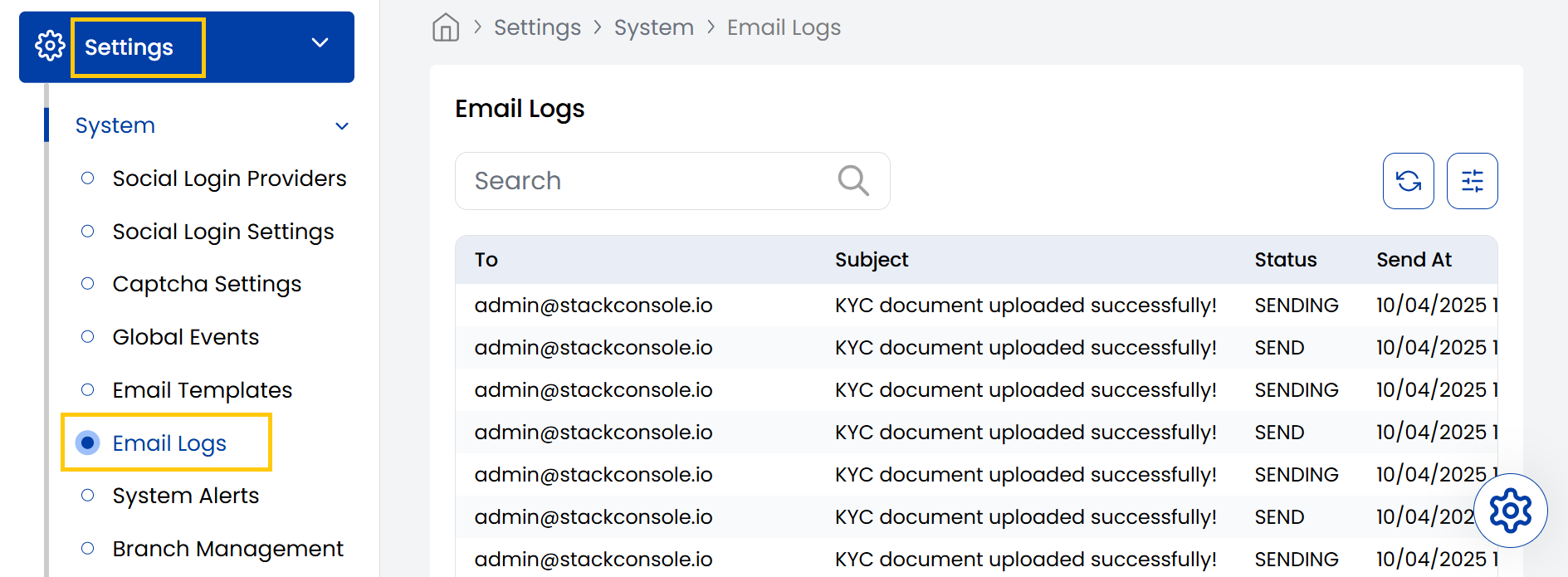
The Stack Console's Email Logs tab displays a list of all outgoing emails along with their subject lines and delivery statuses like Sending or Sent. It helps admins monitor email communications sent from the system.
- From the left-hand side menu, navigate to the Settings tab. Under Settings, select the System option and click on Email Logs.
- The Email Logs page displays a list of all outgoing emails.
Conclusion
The Email Logs section provides comprehensive tracking of all system-generated email communications. For email delivery assistance, contact Stack Console support.